
Gyoza Server#
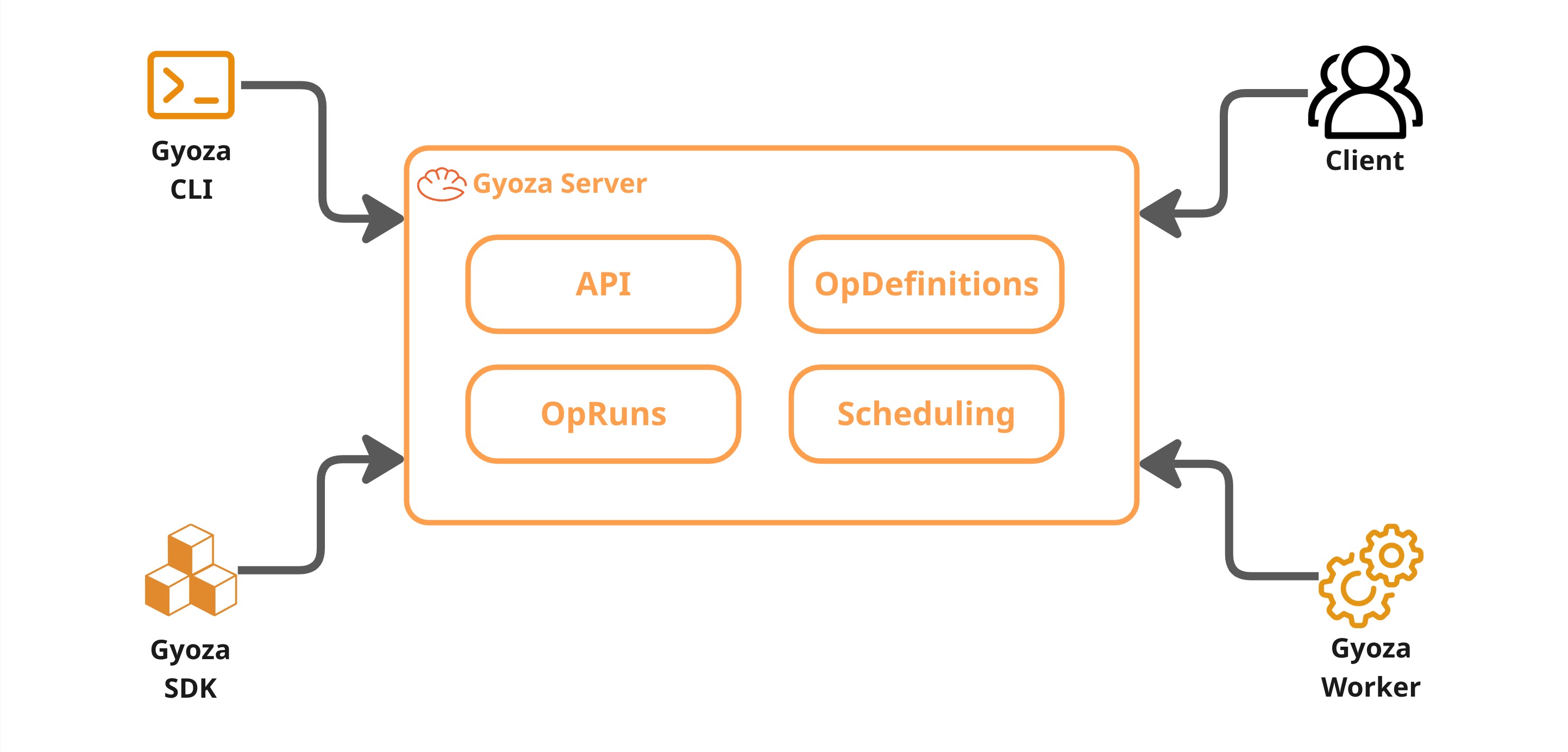
The server is the brain of every Gyoza cluster. Every worker, SDK client, and CLI tool in the same cluster should point to the same server URL and API key, it is the single source of truth for what ops exist, what is running, and what resources are available. It never runs containers itself, its job is to store definitions, accept run requests, and figure out which worker should execute each one.
See also
For instructions on deploying and configuring the server, see Deploy the Gyoza Server.
OpDefinitions#
When you deploy a Gyoza Op to the server, it becomes an OpDefinition, a long-lived, versioned record of everything the server needs to execute that op. Think of it like a container image repository where the op’s unique name is the definition ID, and each deployment pushes a new version under that same name.
The OpDefinition holds the Docker image, the input/output specs, resource constraints, retry policy, and anything else the server needs to schedule and run the op. Redeploying with the same name updates the definition to the latest version, so subsequent runs automatically use the new configuration.
See also
The fields of an OpDefinition map directly to the gyoza.yml file. See
Deploy a Gyoza Op for a full breakdown of each field.
OpRuns#
An OpRun is what you get when you actually execute an op, it is a concrete instance of an OpDefinition. The client sends a run request, the server creates the OpRun (inheriting image, constraints, inputs, and retry policy from the definition), and from that point forward the run has its own identity and lifecycle.
You can also create ad-hoc runs without a definition by providing the image and inputs directly.
Lifecycle#
Every OpRun goes through a well-defined set of states:
        stateDiagram-v2
    [*] --> PENDING
    PENDING --> ASSIGNED
    ASSIGNED --> RUNNING
    ASSIGNED --> PENDING : unassign
    RUNNING --> COMPLETED
    RUNNING --> FAILED
    RUNNING --> CANCELLED
    FAILED --> PENDING : retry
    CANCELLED --> PENDING : retry
    COMPLETED --> [*]
PENDING — the run is waiting in the queue for a worker.
ASSIGNED — the scheduler picked a worker but execution hasn't started yet.
RUNNING — the worker started the container.
COMPLETED — the container finished successfully and outputs are available.
FAILED — something went wrong during execution.
CANCELLED — the run was cancelled before it could finish.
Runs retain their full state and progress, so you can monitor them in real time, inspect their outputs, cancel them mid-flight, or retry failed ones.
See also
For a hands-on guide on creating and managing OpRuns, see Generate an OpRun.
Attempts and retries#
Every time an OpRun is executed or retried, it is stored as an OpAttempt.
Each attempt is its own execution record with its own progress, logs, outputs,
and errors. When a run fails and the retry policy allows it, retrying creates a
new attempt and puts the run back in PENDING so it gets scheduled again,
all under the same OpRun ID, giving you a complete execution history when consulting the op run.
Scheduling and worker management#
The server keeps a global view of the cluster. Workers register themselves through periodic heartbeats, each one reporting its total hardware resources and what it is currently running. The resource-aware scheduler calculates free RAM and VRAM from total capacity minus the reservations of assigned and running attempts. These are scheduling reservations, not measurements of physical usage.
When a worker checks in for new work, the scheduler looks at the pending runs queue,
finds runs whose resource requirements fit the worker’s available capacity, and
assigns the best match. Reservations remain in place until the attempt finishes
or the operation explicitly reduces them with gyoza_resources.set_reservation.
Original requirements are preserved so retries start with their full reservation.
If a worker stops sending heartbeats because of a network issue, crash, etc., the server evicts it from the pool after a timeout and reassigns its pending work. When it comes back, it re-enters the pool automatically. This means you can scale the cluster up or down just by starting or stopping workers.
REST API#
Everything the server does is exposed through a REST API. The SDK, CLI, and workers all communicate with the server through it. You can also call it directly for custom integrations.
See also
The full API reference with all endpoints and schemas is available at REST API.